

pkirby11
Well-known member
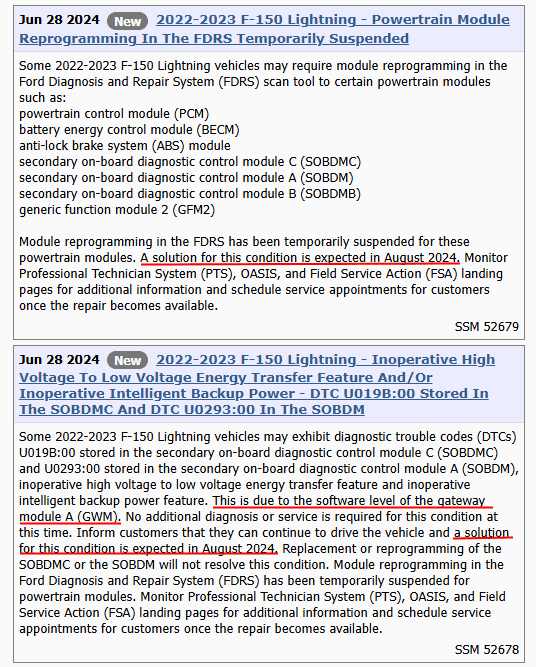
Cool, well I mean that means there is still a chance that it will be lifted in August still.Nothing as of this morning.
 As always thank you for checking.
Sponsored
Cool, well I mean that means there is still a chance that it will be lifted in August still.Nothing as of this morning.
As always thank you for checking.
If the truck is working fine, I would not stress a few codes being reported. All vehicles report some kind of codes including my own.I just bought a 48 hour license and ran a bunch of the updates on my lightning and came up with a few Questions that I've been unable to find clear answers to from my searches:
1. Clearing Error Codes? - After running a bunch of updates, aren't you supposed to clear some error codes or something as a clean up action? While this is my third time to run FDRS in the last 1.5 years, I can't recall or find that information.
2. How to Verify BC 1.3 - how can I verify that BC 1.3 was installed in my lightning without driving?
3. UI Update on Sync to Match MME? - My MachE has newer iconography...I was surprised to see this didn't come to the Lightning. Does this seem right?
Thanks for anyone that can provide these quick pointers.
Also, for those interested in the Walk Away Lock (BCM Update), as of Aug 15, the username/password is still required. I would pay for this feature....this is painful.
You, like the rest of us, are still waiting for a new gateway update to solve all of our powertrain problems. This is the one we've been waiting on since April or May?I just bought a 48 hour license and ran a bunch of the updates on my lightning and came up with a few Questions that I've been unable to find clear answers to from my searches:
1. Clearing Error Codes? - After running a bunch of updates, aren't you supposed to clear some error codes or something as a clean up action? While this is my third time to run FDRS in the last 1.5 years, I can't recall or find that information.
2. How to Verify BC 1.3 - how can I verify that BC 1.3 was installed in my lightning without driving?
3. UI Update on Sync to Match MME? - My MachE has newer iconography...I was surprised to see this didn't come to the Lightning. Does this seem right?
Thanks for anyone that can provide these quick pointers.
Also, for those interested in the Walk Away Lock (BCM Update), as of Aug 15, the username/password is still required. I would pay for this feature....this is painful.
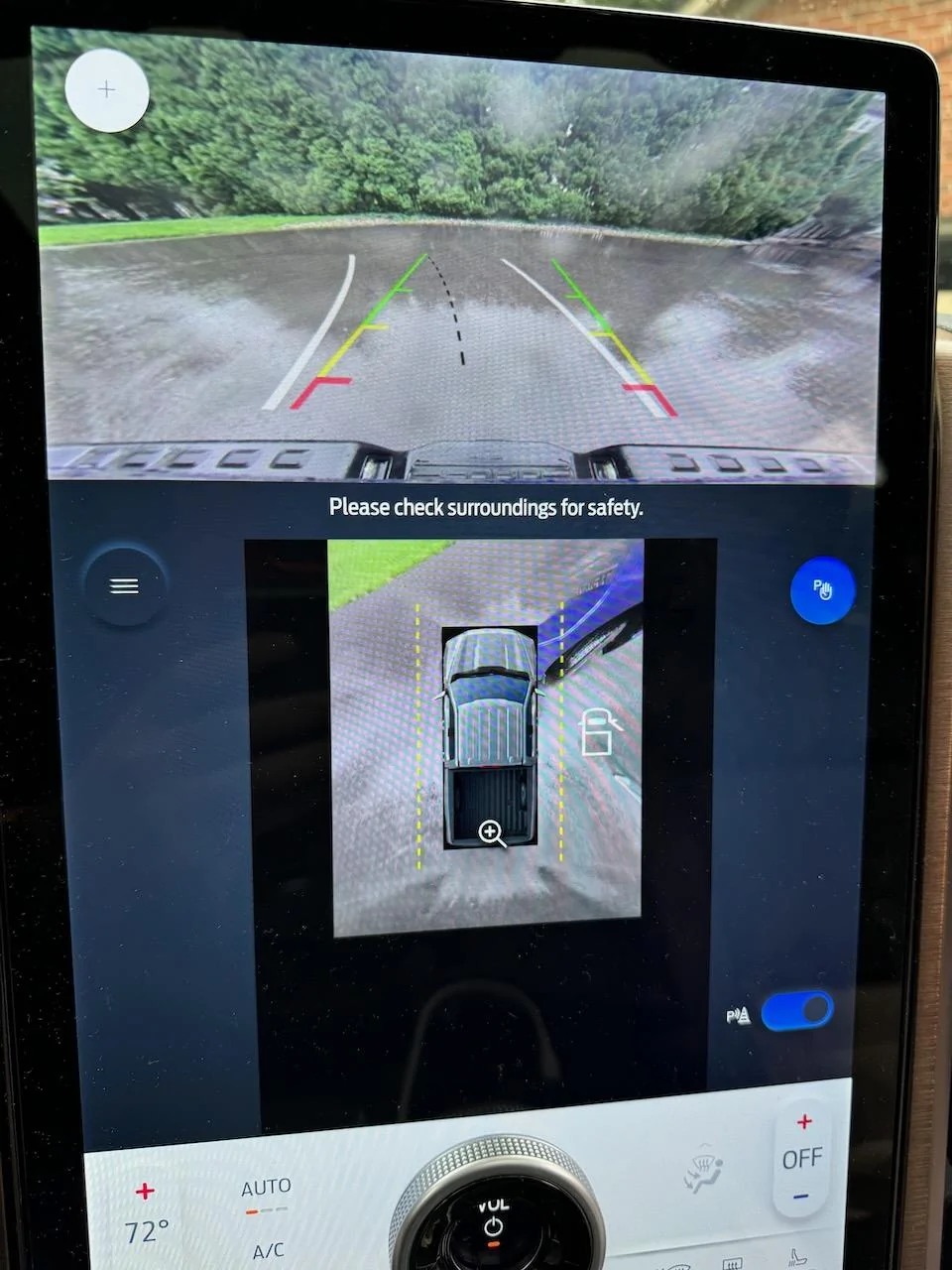
Yeah I know about the camera one...there's a FDRS tool specifically to address that issue. I think it's the APIM tool called "360 Camera View Display Configuration" if memory serves....2 additional observations following my installation last night of all available updates in my 22 Lightning (except for BCM).
1. FDRS Not Logging In - After finishing up the Lightning, I started pushing all available updates to my MME and FDRS randomly lost connection for some reason. At around 10:30PM ET last night in the middle of a multi-module update, my computer prompted me with the FordPass login, but wouldn't accept my username and password. While it wouldn't given an error, it would just act like it was attempting to login but not proceed. As a test, I opened another browser window to test my credentials and they logged in without issue. After more testing including force closing FDRS (I know, I was a bit scared doing this...), I was still unable to get back into FDRS. I then rebooted the Windows machine and it allowed me to login. Now today (~2PM ET), I'm seeing the same issue when launching FDRS. Same deal, multiple attempts, reboots, nothing. Finally, I just kept trying and it logged in.
Anyone know if this is a known issue with FDRS (on 41.5.2) or something? Any other known workarounds when this happens?
2. 360 Camera Image No Longer Filling Lower Box when in Reverse - I want to say before the updates I performed yesterday, the 360 camera image filled the lower box when in reverse. I've found two other threads on the topic (here and here), but haven't found a known solution yet. For context, I installed the following:
- FHCM
- DSM
- HVAC
- DDM
- PDM
- IPMA
- PSCM
Anyone else seeing this? Is it a coincidence that I performed updates yesterday or could it be related to one of them?

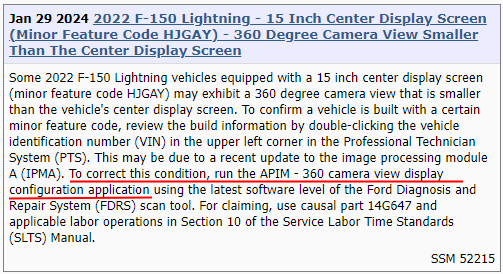
Interesting. If it's just a config thing, then it can be done with FORScan.Yeah I know about the camera one...there's a FDRS tool specifically to address that issue. I think it's the APIM tool called "360 Camera View Display Configuration" if memory serves....

Thank you. This resolved it. Luckily My 48 hour license was still active.Yeah I know about the camera one...there's a FDRS tool specifically to address that issue. I think it's the APIM tool called "360 Camera View Display Configuration" if memory serves....
Found this note from when I had the same problem:

Yup...you're showing a 3 there now. Good to know for future reference.Thank you. This resolved it. Luckily My 48 hour license was still active.

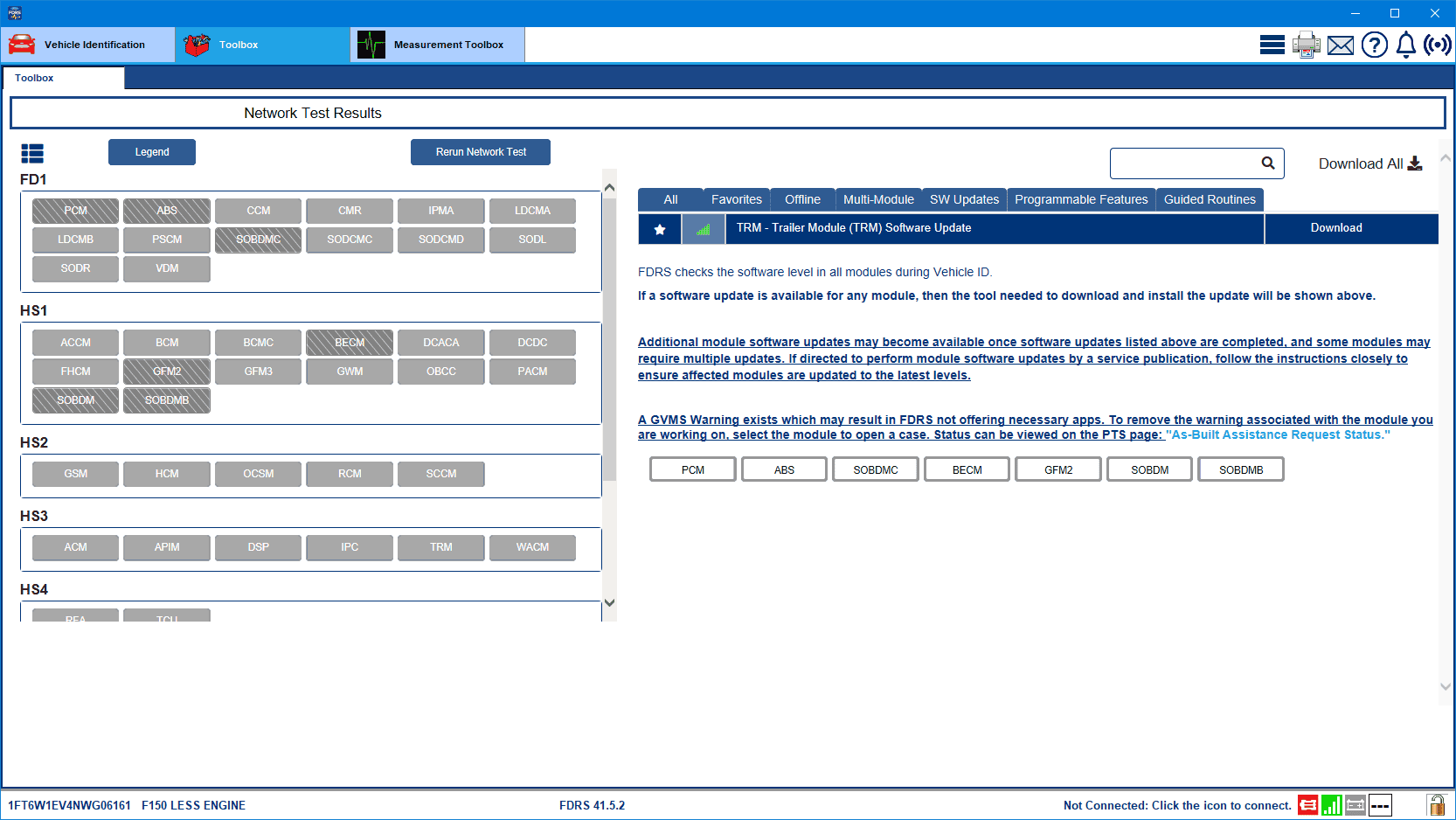
Seeing your post I just checked and I have the TRM update now today as well. I could be wrong, but I think this is promising as I had GWM update earlier in the week and now the TRM update. I also could swear the GVMS warning was also on the TRM module and it is cleared. Maybe that means the Power Train fix is coming too. One can hope.This morning's check didn't turn up the new gateway update I was looking for but instead a trailer module update that I wasn't, and didn't know I might need. Not sure why this is being sent out.


I think there is a guy on the Mach E forum that can fix this. I don't remember his name. I am pretty sure @Mike G is the one that posted about it.I have a ‘24 Lariat. I have noticed I am unable to set charging targets/locations. Assuming I just need to do updates, which I couldn’t do last night due to the FFRS login issue. Any idea which modules might fix this?


