
Sponsored

First Post: Cannot Set Charging Location at Home

vorguy

Member
First Name
Harry
Joined
Jul 12, 2024
Threads
3
Messages
12
Reaction score
4
Location
Sacramento, CA
Vehicles
'24 Lightning Lariat, '03 F-250 6.0
Occupation
Airport maintenance
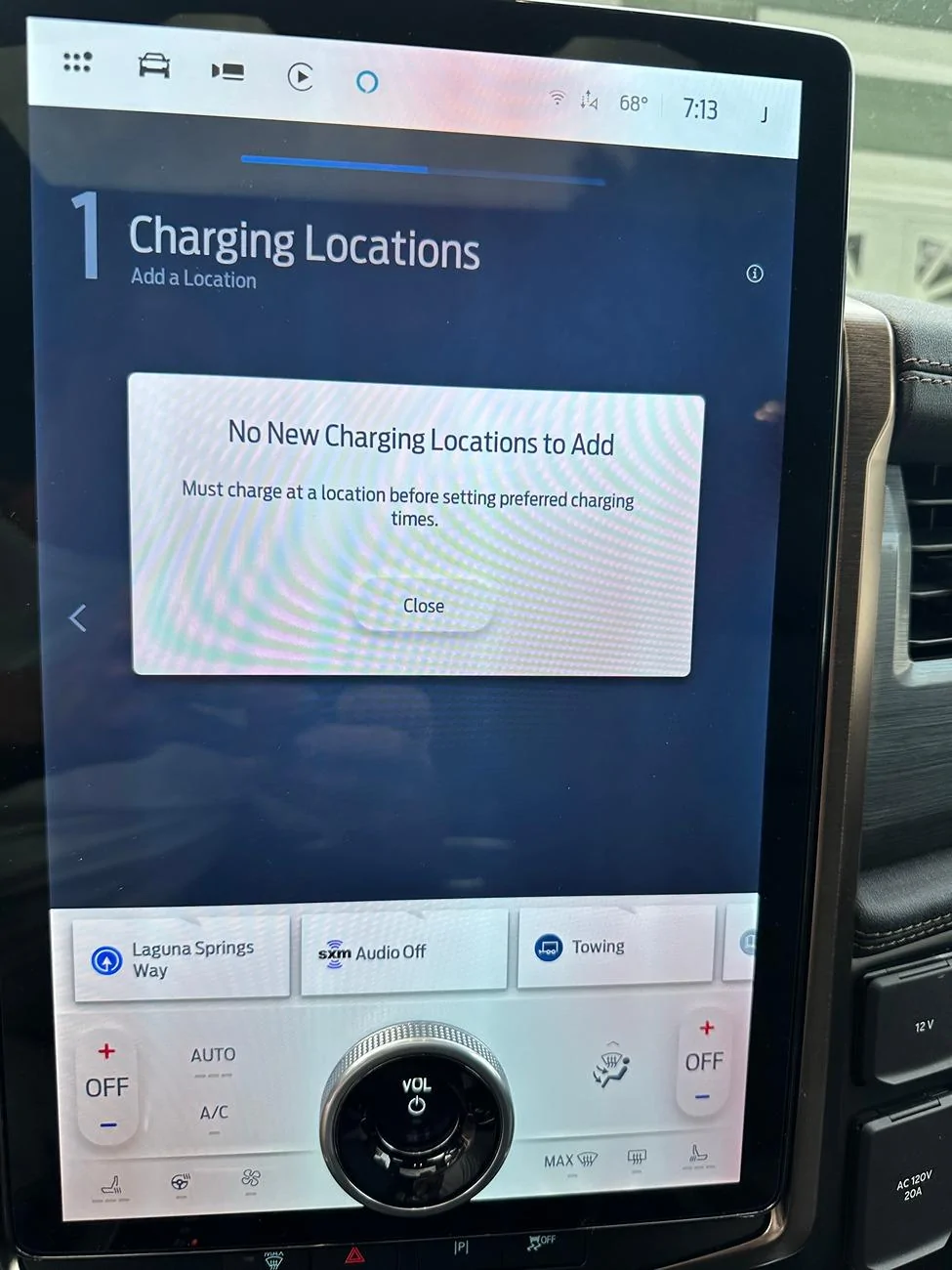
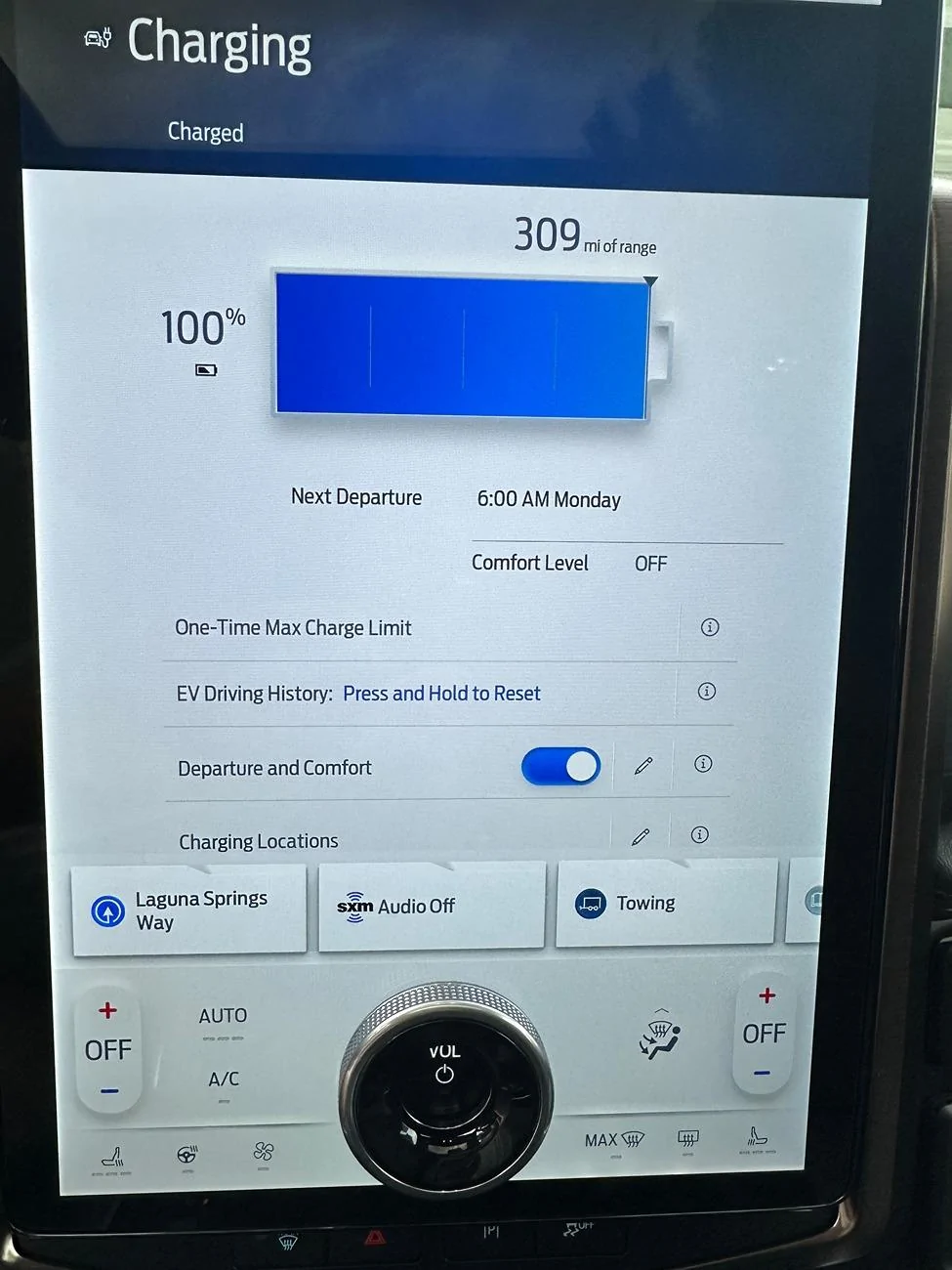
Hello! I just purchased a '24 Lightning Lariat ER. Love the truck, but I'm having issues setting it to charge on a set schedule. I starts charging as soon as I plug it in. I was able to set the end time for 6AM, but cannot set a schedule. The screen says, "Must charge at a location before setting preferred charging times." I have charged it to 80%, 90%, and 100% at home with a Clipper Creek 40Amp charger and still cannot set a charging location. I called Ford and they said to try charging at a fast charger and if that doesn't work, take it to the dealer. I'm hoping I don't have a have a Bluetooth charger for this to work.
Am I overlooking something obvious? Ant help is appreciated.

Ford F-150 Lightning First Post: Cannot Set Charging Location at Home image_67201025


Ford F-150 Lightning First Post: Cannot Set Charging Location at Home image_67197697
Sponsored


mrau

Well-known member
Joined
Feb 2, 2024
Threads
5
Messages
392
Reaction score
542
Location
Michigan
Vehicles
23 Lariat⚡ER
Plug the truck in at home. While it is plugged in and charging, you should be able to set your Home location.
 
OP
OP
vorguy

vorguy

Member
First Name
Harry
Joined
Jul 12, 2024
Threads
3
Messages
12
Reaction score
4
Location
Sacramento, CA
Vehicles
'24 Lightning Lariat, '03 F-250 6.0
Occupation
Airport maintenance
Thanks for the quick response. Just tried charging from 89% to the default 100% and set the location. Still didn't work. Anything else I may be missing? The location does show up on the navigation screen.

Ford F-150 Lightning First Post: Cannot Set Charging Location at Home IMG_6243[1]


Ford F-150 Lightning First Post: Cannot Set Charging Location at Home IMG_6244[1]
 

Zprime29

Well-known member
First Name
Brandon
Joined
Jul 26, 2022
Threads
42
Messages
2,503
Reaction score
2,669
Location
Tucson, AZ
Vehicles
2022 Lightning ER, 2025 XC90 Recharge
The icons at the top of your screen indicate that you have a newer version of Sync than the 22/23's. I don't know if there is a bug in it or not, but something to keep in mind. A topic for another thread perhaps, to explore differences.

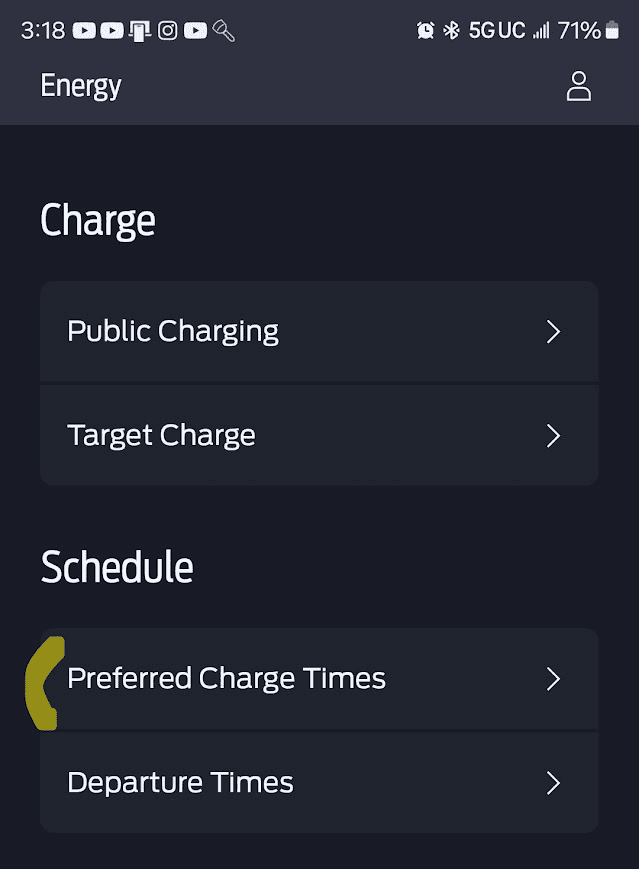
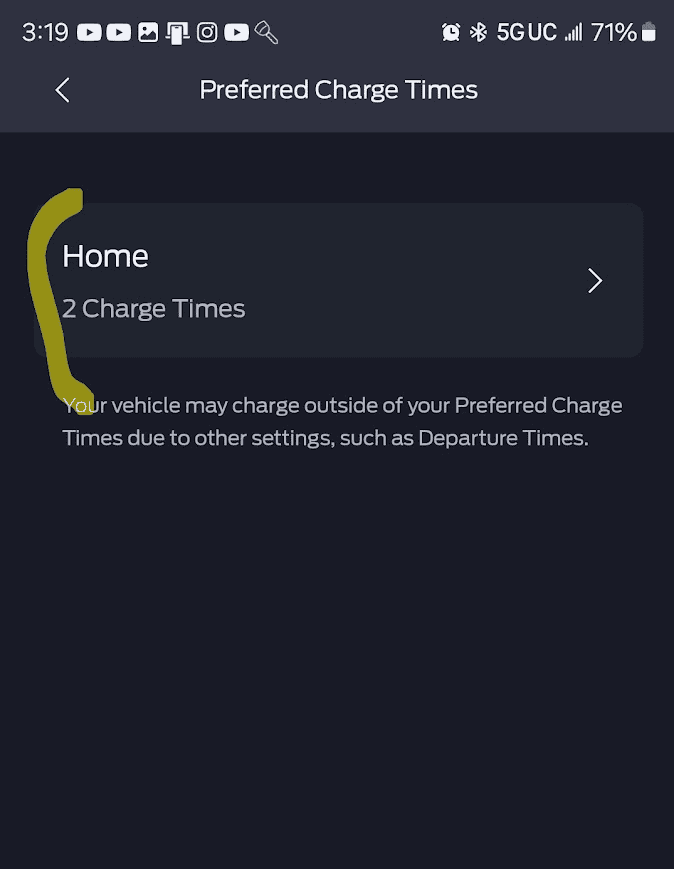
I would wager that setting up a charging schedule should be unchanged. Do you have FordPass set up yet? You might be able to get a schedule set up in that, which should then populate on the truck. I haven't added a location in a while. If it didn't recognize that you charged at a location, double check your settings to make sure the truck can see GPS.
 

TaxmanHog

Moderator
Moderator
First Name
Noel
Joined
Jan 19, 2022
Threads
211
Messages
15,610
Reaction score
17,438
Location
SE. Mass.
Vehicles
2022 Lightning Lariat-ER & 2024 HD Road Glide CVO-ST
Occupation
Retired
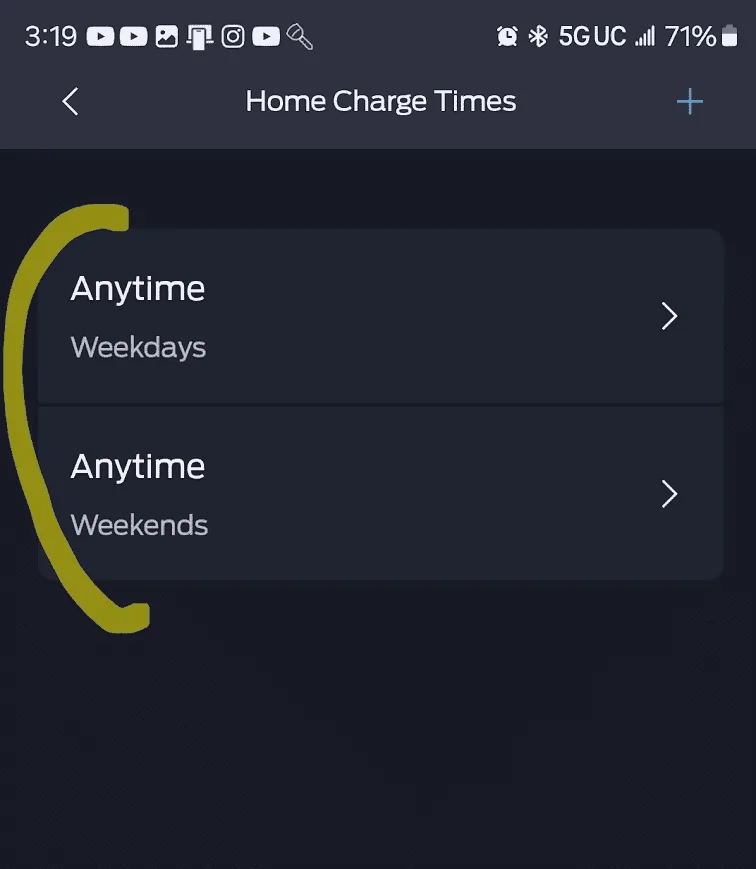
Double check the Fordpass account, make sure you don't already show an unsynchronized location displaying, if so .... delete it.

If you've tried multiple times since the last drive cycle, take the truck for a short drive to stir-up the GPS a bit, hopefully the next try will work.

Make sure you're NOT already at 100%, if you are the truck commands the EVSE to stop charging and won't allow a location to be stored, I noted above one of your shots shows ~89%, that's good for creating the charging location.

Make sure to remove the weekday & weekend profiles if they are showing.

If NOTHING is showing use the FP to create the new schemes, this ~might~ work in lieu of doing it on the Sync screen, =many of us with the MY22 & MY 23 trucks had difficulty creating new profiles via Fordpass, but with version 5.x this might actually work .... fingers crossed.

Ford F-150 Lightning First Post: Cannot Set Charging Location at Home 1721071217337-o7
Ford F-150 Lightning First Post: Cannot Set Charging Location at Home 1721071238858-7
Ford F-150 Lightning First Post: Cannot Set Charging Location at Home 1721071249688-01
Sponsored

 
Last edited:


Top